

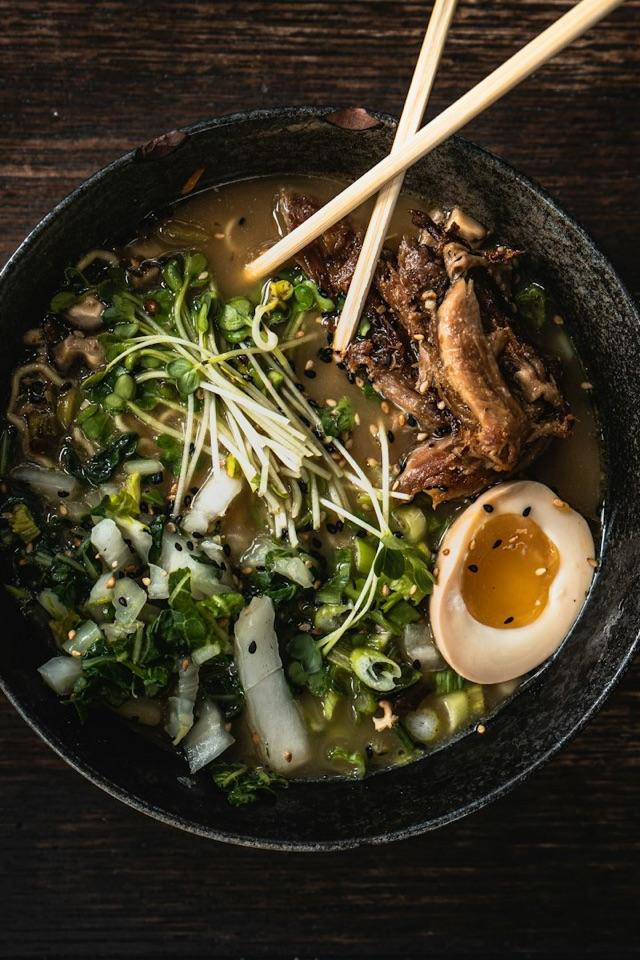


Saucy curried noodle bowl with crispy chicken
by Hobbykoch
30 minMain dishes
Recipe manager for iPhone, iPad, Mac and web
Collect recipes from websites, photos and files, cook step by step in cook mode, plan your week and discover what others are cooking.
Import recipes from the built-in browser, from photos with text recognition, or from Mela files. Ingredients, steps, times and images arrive neatly organized in your cookbook.
Cook mode shows one step at a time, keeps the screen awake and starts multiple timers straight from the recipe. Scale quantities to your servings with a tap.
Plan breakfast, lunch and dinner in your calendar and send ingredients to your shopping list. Dishfolio uses Apple Calendar and Reminders, which you already carry with you.
The community offers reviewed recipes with nutrition facts. Filter by diet, time and ingredients, and save favorites to your own cookbook.
Dishfolio Plus keeps private recipes and images in sync across iPhone, iPad, Mac and the web. Without a subscription, your local cookbook stays fully usable.
No ads, no tracking. Export any time as PDF, HTML, Markdown or a recipe file. Delete your account and data in a few clicks.
Published by members, reviewed before release, and free for everyone to read.
by Hobbykoch
by Hobbykoch
by Hobbykoch
by Hobbykoch
by Hobbykoch
by Hobbykoch
by Hobbykoch
by Hobbykoch

Dishfolio Plus
Plan on your Mac, cook from your iPad, look things up on your iPhone. Dishfolio Plus syncs your private collection including images. Cancel any time.
More about PlusThe app and your local cookbook are free, and so is the community. Only syncing your private recipes across several devices is part of Dishfolio Plus, available monthly or yearly.
No. Every approved community recipe can be read here without signing in. You need a free account to save recipes or to publish your own.
Yes. Plus belongs to your Dishfolio account. Whether you subscribe on the App Store or here: sign in with the same account everywhere and sync is unlocked.
Nothing is lost. Sync continues until the end of the paid period. After that, all recipes stay on your devices and in the cloud; only syncing pauses.
In the app: open a recipe, choose “Submit to Community”, then pick a category and image. After review by moderation it appears in the community and here on the website.